Weaverse LogoWeaverse
Apr 02, 2024
By Gus Nguyen
11 mins read

Unleash The Power of Exit-intent Popups

💡 This is a guest post from Fordeer Team. Welcome to the dynamic landscape of online marketing, where maintaining a strategic edge is paramount to achieving success. A notable tool that has garnered significant attention in recent times is the exi...
#shopify#shopify-development
Unleash The Power of Exit-intent Popups
💡
This is a guest post from Fordeer Team.

Welcome to the dynamic landscape of online marketing, where maintaining a strategic edge is paramount to achieving success. A notable tool that has garnered significant attention in recent times is the exit-intent popup. If you are not yet acquainted with this transformative strategy, you have arrived at the opportune destination. Within this blog post, Fordeer Team shall meticulously explore the fundamentals of exit-intent popups, elucidating their relevance and delineating how they can enhance the overall performance of your website.

Overview of Exit-intent Popups

What is an exit intent popup?

An "exit-intent popup" is a specific type of popup that is triggered when a user shows an intention to leave a webpage or close a tab. This intention is often detected through mouse movement towards the browser's close button or by tracking the user's cursor movements towards the top of the browser window, indicating an attempt to navigate away from the current page. Exit-intent popups are typically used to capture the user's attention at the last moment and present them with a targeted message, offer, or call to action in an attempt to retain their interest or encourage them to take a desired action before leaving the site. They are commonly employed for purposes such as offering discounts, prompting newsletter sign-ups, or providing additional content suggestions.

How do exit-intent popups work?

Exit-intent popups work by tracking the movements of the user's cursor on a webpage. When the user's cursor moves towards the top of the browser window, indicating an intention to leave the page (for example, to close the tab or navigate to a different site), the exit-intent popup is triggered, appearing on the screen just before the user exits.
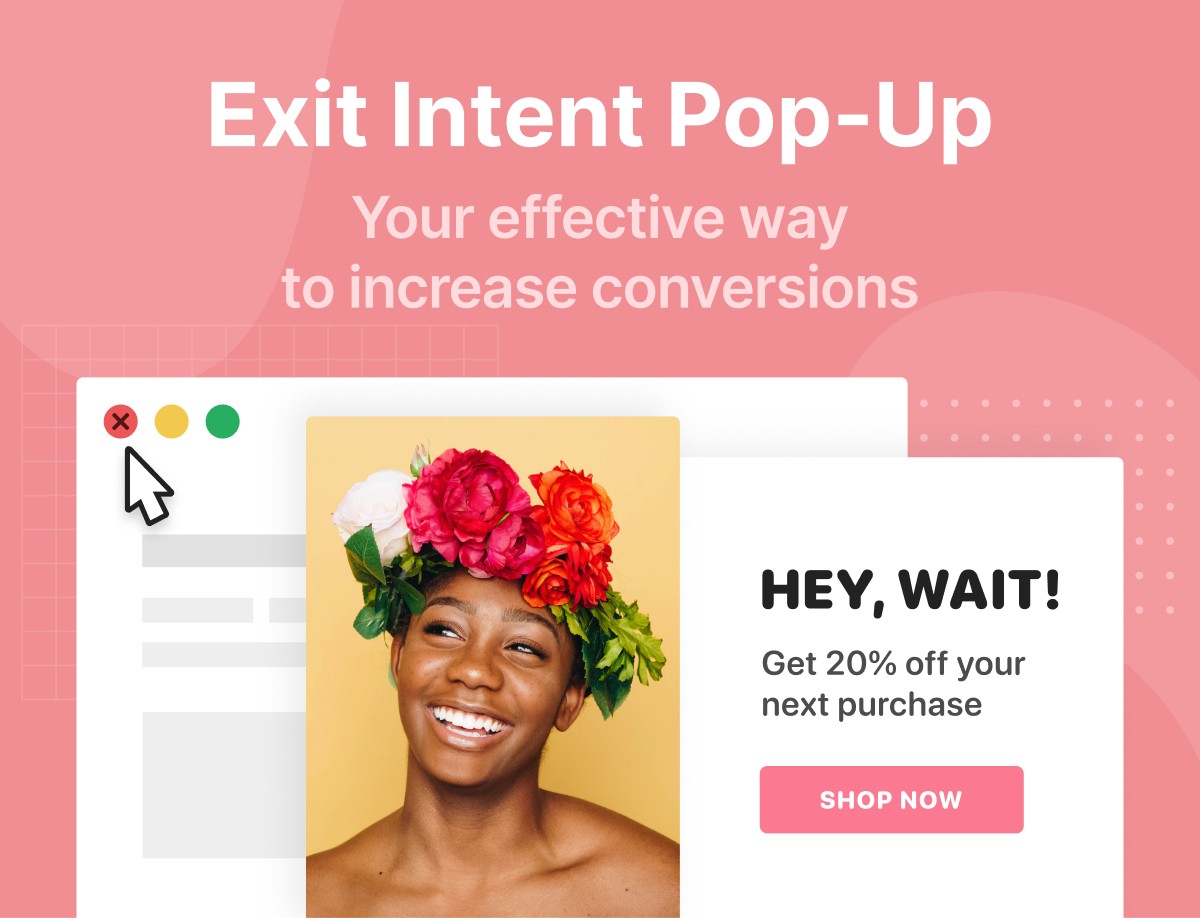
The detection of exit intent is typically done using JavaScript code that tracks mouse movements and calculates when the cursor is about to leave the viewport, suggesting the user's intention to exit the page. When the exit intent is detected, the JavaScript triggers the display of the exit-intent popup.

Once triggered, the exit-intent popup typically appears in the center or bottom corner of the screen, overlaying the webpage content. It may contain a message, offer, subscription form, or any other call to action designed to capture the user's attention and encourage them to stay on the site or take a specific action before leaving.

Exit-intent popups are designed to be non-intrusive and timed strategically to engage users when they are most likely to exit, offering them something of value that may persuade them to stay or explore further. However, it's important to use them judiciously and ensure that the popup content is relevant and valuable to the user to avoid frustrating or alienating visitors.

The Power of Exit-intent Popups

Recovery of abandoned visitors

Imagine you're strolling through a bustling marketplace, casually browsing the array of shops. Suddenly, as you're about to turn away from a storefront, a friendly shopkeeper steps out, offering you an exclusive discount on their latest products. Intrigued, you pause, reconsidering your decision to leave. This scenario mirrors the effectiveness of exit-intent popups in the digital realm.

Exit-intent popups are meticulously crafted to target users displaying signs of departure from a website. Just like that attentive shopkeeper, they seize the opportune moment to capture attention and entice visitors to stay a little longer. By presenting compelling offers, discounts, or incentives at this critical juncture, businesses can effectively re-engage these visitors, preventing them from bouncing away without taking any desired action.

For instance, let's consider an online clothing retailer. A visitor navigates to their website, browses through various product pages, but eventually moves towards closing the tab without making a purchase.

Sensing the impending exit, an exit-intent popup gracefully appears, offering a limited-time discount on their next purchase. Intrigued by the enticing offer, the visitor decides to explore further, ultimately making a purchase they may have otherwise abandoned.

A second chance for conversions

You know what? These clever popups also offer a second chance to engage with your visitors just as they're about to leave. Think about it – by providing enticing incentives like discounts, access to exclusive content, or limited-time promotions, you're giving your visitors a reason to stay and explore further.

For example, let's say you run an online clothing store. A visitor adds items to their cart but hesitates to complete the purchase. Suddenly, an exit-intent popup appears, offering them a 10% discount on their first order if they sign up for your newsletter. Intrigued by the offer, the visitor decides to stay, completes their purchase, and even subscribes to your newsletter for future deals and updates. And with that, you've successfully converted a casual visitor into a loyal customer.

In essence, exit-intent popups provide a win-win situation for both you and your visitors. You get a chance to capture leads, subscribers, or customers that might have slipped away otherwise, while your visitors get valuable incentives and offers that enhance their experience with your brand.

List building and lead generation

Exit-intent popups are invaluable assets for businesses seeking to expand their email lists and cultivate leads. By extending a warm invitation to visitors to subscribe to newsletters or mailing lists just as they're about to depart, businesses open the door to ongoing communication opportunities. Let's delve deeper into why this matters.

Imagine you're a visitor on a skincare website, exploring the latest products and trends. As you wrap up your browsing session, a popup appears, offering you a chance to stay updated with skincare tips, exclusive offers, and product launches by subscribing to the site's newsletter. Intrigued by the prospect of receiving valuable insights directly to your inbox, you decide to sign up.

In this scenario, the exit-intent popup not only captures your interest but also initiates a meaningful relationship between you and the skincare brand. Over time, as you receive personalized emails tailored to your skincare concerns and preferences, you feel valued and engaged. Meanwhile, the brand gains a loyal subscriber who is more likely to convert into a paying customer in the future.

Reduced bounce rates

One of the standout perks of using exit-intent popups is their knack for reducing bounce rates. Imagine this scenario: a visitor lands on your website, browses for a bit, but then hesitates to take further action. Just as they're about to click away, a strategically timed exit-intent popup appears. It offers them a special discount, a free resource, or perhaps a chance to sign up for exclusive updates. Suddenly, their interest is piqued, and they decide to stick around a little longer.

By providing users with these additional options or incentives, businesses can effectively extend their visitors' stay on the site. Instead of exiting immediately, users may choose to explore more pages, delve into other products or services, or even subscribe to newsletters. This prolonged engagement not only reduces bounce rates but also significantly boosts overall interaction with your website.
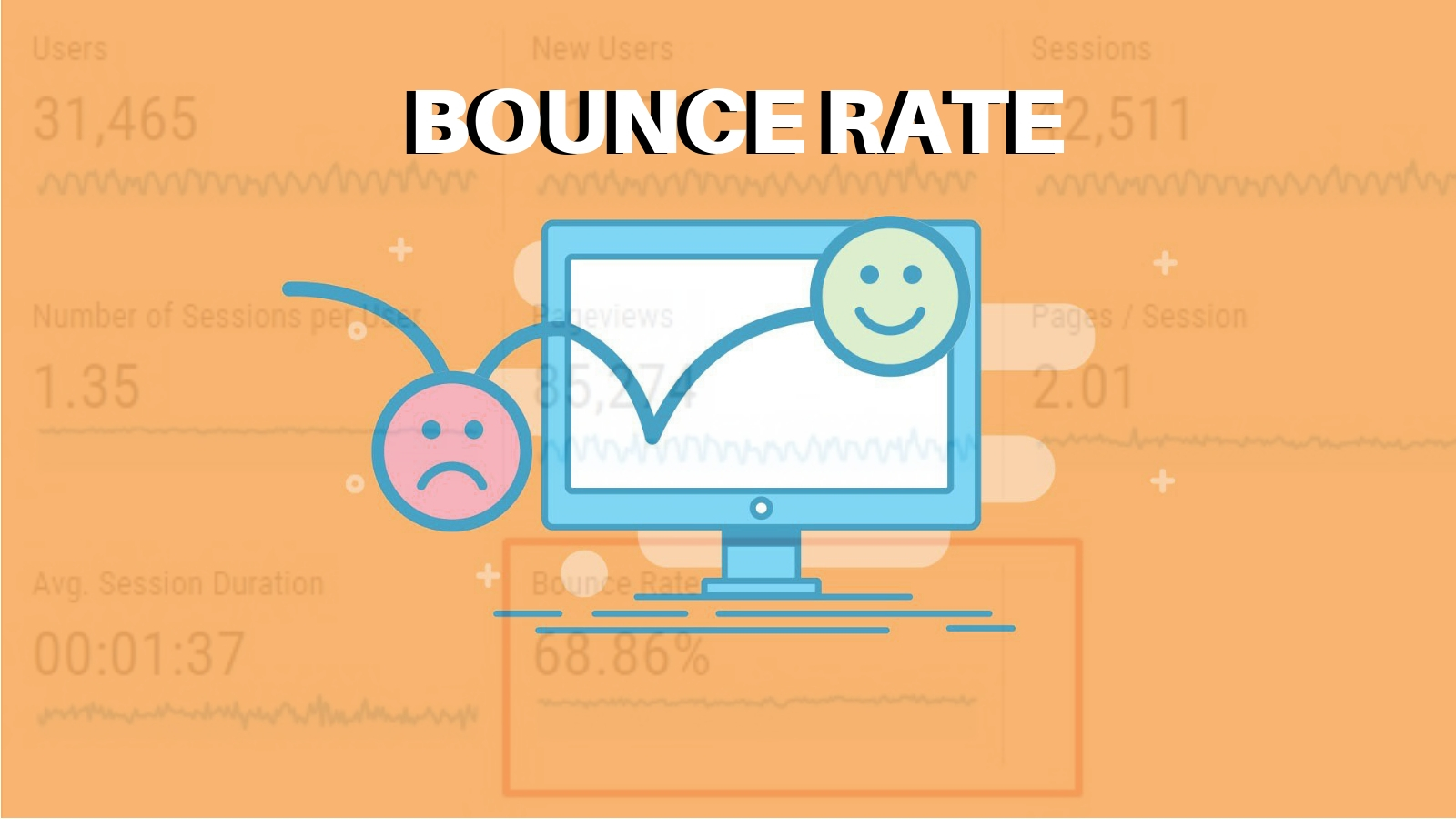
For instance, let's say you run an e-commerce store selling skincare products. A visitor lands on your site but seems undecided about making a purchase. Just as they're about to leave, an exit-intent popup appears, offering them a 10% discount on their first order. Intrigued by the offer, the visitor decides to browse through your product catalog a little more. Eventually, they find a few items they like, apply the discount code at checkout, and complete their purchase. Without the timely intervention of the exit-intent popup, this potential customer might have slipped away, resulting in a lost opportunity for both engagement and revenue.

Personalized user experience

Exit-intent popups wield significant power due to their knack for delivering a personalized and precisely targeted user experience. Picture this: You're browsing an online store for a new pair of sneakers. As you hover your cursor toward the exit button, a popup appears, offering you a 10% discount on your first purchase.

Intrigued by the timely offer, you decide to stay a while longer, explore the site further, and eventually make a purchase. This scenario exemplifies how exit-intent popups, by tailoring content and offers to match user preferences or behaviors, can effectively capture attention and prompt desired actions.

This personalized approach not only enhances user engagement but also fosters a sense of connection between the business and the customer. When users feel understood and valued, they are more likely to respond positively to the call to action presented in the exit-intent popup.

Moreover, by analyzing user behavior and preferences, businesses can refine their targeting strategies, ensuring that the content and offers presented in the popups resonate with their audience on a deeper level. For instance, an e-commerce website may customize exit-intent popups based on the products viewed or added to the cart by the user. If a customer has been eyeing a particular item but hesitates to make a purchase, a well-crafted popup offering a limited-time discount or free shipping can nudge them toward conversion.

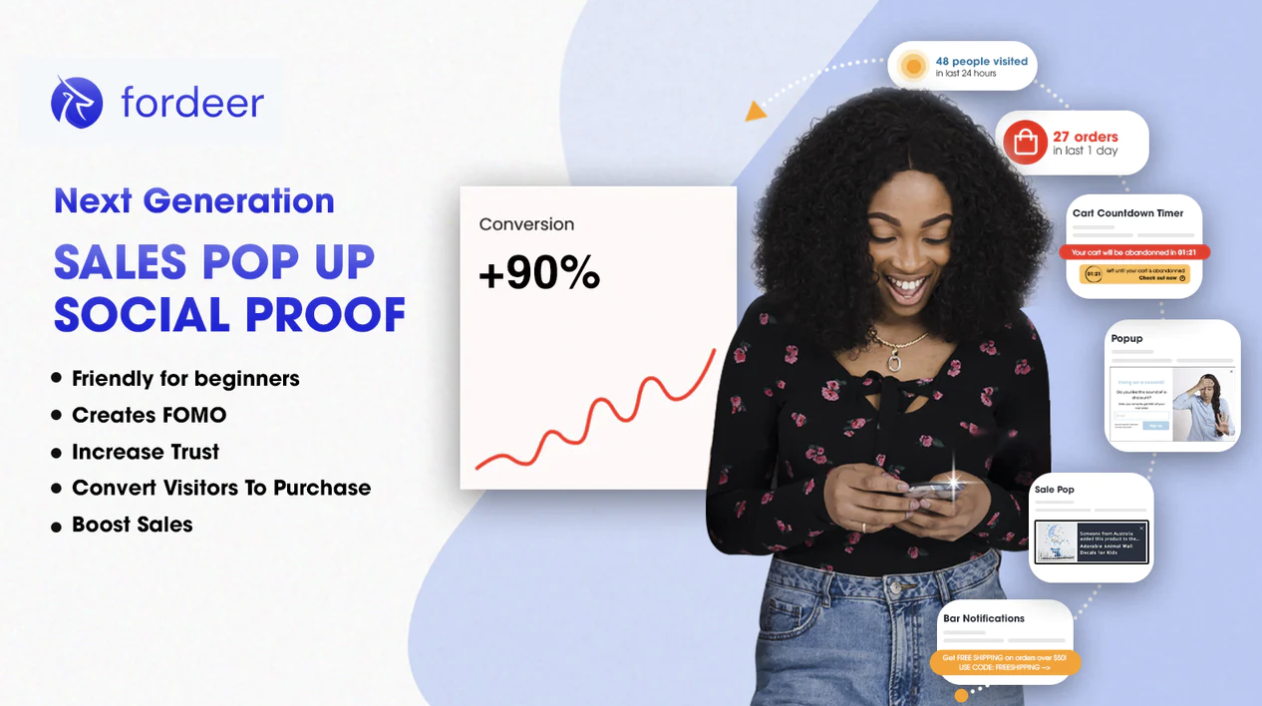
You can integrate content or elements into the pop-up. Nowadays, many popup apps allow you to tell a compelling brand story and have a memorable experience. You can explore our Fordeer: Sales Pop Up - Popups, we help you inspire visitors to FOMO to boost your conversion rates and generate more sales growth trust by showing purchases are being made in real-time and at the visitor counter.
Enhanced eCommerce conversion rates

In the e-commerce realm, such strategically-timed exit-intent popups wield immense power. By offering enticing incentives like discounts, free shipping, or exclusive offers at the moment when a potential customer is on the brink of abandoning their cart, businesses can effectively reignite their interest and encourage them to follow through with their purchase.

This simple yet effective tactic serves to address common hesitations that shoppers may encounter during the checkout process, such as concerns about pricing or shipping costs. By alleviating these concerns and sweetening the deal with a compelling offer, businesses can significantly reduce cart abandonment rates and boost their conversion rates.

Moreover, the implementation of exit-intent popups underscores a business's commitment to customer satisfaction and engagement. By proactively engaging with users and offering valuable incentives, businesses demonstrate their dedication to providing a seamless and rewarding shopping experience, thereby fostering trust and loyalty among their customer base.

Bonus: Exit-intent Popups Best Practices

Timing is everything

In the realm of exit-intent popups, timing holds the key to success. It's essential to pinpoint the opportune moment to trigger the popup, typically when the user signals an intent to depart, such as by navigating toward the browser's exit button. However, it's equally important to exercise a degree of restraint. Introducing a slight delay ensures that the popup doesn't disrupt the browsing experience or annoy users who may not be genuinely leaving but rather exploring different options. This delicate balance between timing and subtlety can significantly enhance the effectiveness of exit-intent popups in engaging users and driving desired actions.

Clear call-to-action

It's imperative to ensure that the Call-to-Action (CTA) button or link stands out prominently and effectively communicates the desired action to users. Utilizing action-oriented language is key in encouraging users to take the next step. Phrases like "Get Your Discount" or "Subscribe Now" create a sense of urgency and motivation, prompting users to engage with the popup and proceed with the desired action. By making the CTA clear and compelling, you can significantly increase the likelihood of users responding positively to the exit-intent popup and completing the desired action.

Mobile optimization

You should ensure a flawless user experience across all devices by optimizing your exit-intent popups for mobile compatibility. It's essential to cater to users browsing on smartphones and tablets, as they make up a significant portion of website traffic. You should take the time to thoroughly test your popups on a range of devices and browsers to guarantee they appear correctly and are effortless to engage with on mobile. By doing so, you'll not only enhance usability but also maximize your chances of capturing users' attention and driving desired actions, regardless of the device they're using.

A/B testing

It's essential to explore various iterations of your exit-intent popups to pinpoint what truly connects with your audience. By conducting experiments with different designs, copywriting styles, offers, and timing strategies, you can fine-tune your approach to achieve optimal performance and elevate conversion rates. This iterative process allows you to gather valuable insights into user preferences and behaviors, empowering you to make informed decisions that drive engagement and enhance the effectiveness of your exit-intent popups.

Compliance with regulations

Last but not least, it's imperative to uphold user privacy standards and adhere to pertinent regulations like GDPR or CCPA. This entails transparently communicating the purpose of data collection via the exit-intent popup and offering users a clear option to opt-out if they wish to refrain from participating. By demonstrating a commitment to respecting user privacy and abiding by regulatory requirements, businesses not only foster trust and goodwill among their audience but also mitigate potential legal risks associated with data handling practices.

Over to you,

Exit-intent popups represent a powerful tool in your digital marketing arsenal. By intelligently engaging users at the moment of departure, you can transform potential losses into valuable opportunities. Whether it's capturing leads, reducing bounce rates, or promoting special offers, exit-intent popups have the potential to enhance your website's performance and contribute to overall business success.

Embrace this innovative strategy, and watch as your online presence reaches new heights by following Fordeer’s tips!

Join the Discussion

Continue Reading

More insights from the Weaverse team

Building A Blazing Fast Shopify Store: Liquid or Hydrogen?

Building A Blazing Fast Shopify Store: Liquid or Hydrogen?

Someone once told me, “You don’t really need your website to go that fast.” I knew what they meant. I’d just spent five seconds waiting for Song for the Mute’s homepage to load. By any standard metric, that’s slow. But I didn’t care. When you’re browsing one of the coolest brands on the internet, and you really want to buy, you’re not timing it. You’re in it. You’re immersed. You’re seeing poetry, storytelling, and fashion blending perfectly together! But most stores aren’t Song for the Mute. And if your brand doesn’t have that kind of magnetic pull yet, performance matters — a lot. Google called it out years ago in their “Milliseconds Make Millions” report. Even today, 82% of users say slow speeds affect their purchasing decisions, and a 1-second improvement in page speed can yield an extra $7,000/day for a $100k/day site. Things haven’t changed. Now, if you're using a traditional Shopify theme, built on Liquid and your site feels sluggish, your first instinct might be to install a performance app. Don’t. Most of them do more harm than good. Others might suggest going headless. I build for Shopify Hydrogen, and even I’ll say this: don’t rush. Can Shopify Liquid Perform Well? Absolutely. Shopify published their own study in late 2023 showing that Liquid storefronts outperform most ecommerce platforms in Core Web Vitals. As of September 2023, 59.5% of Shopify sites passed all CWV thresholds, a stat that continues to climb. Even large-scale merchants like Rothy’s, Rad Power Bikes, and Dollar Shave Club use Liquid and still hit performance benchmarks. Surprisingly, Liquid even outperforms most headless implementations. Shopify found that many SSR frameworks — the ones powering most headless setups — had fewer sites passing Core Web Vitals compared to Liquid. Hydrogen ranked second, but there’s still a gap. So why invest millions in building Hydrogen? Just why? Hydrogen vs Liquid/Shopify Themes A Rebuttal Against Liquid First, I have to say that it might be hard to compare apples to apples in this case, mainly because the data in Shopify’s benchmark focuses on real storefronts using Hydrogen. Many of these early adopters built custom experiences without performance best practices. In contrast, Liquid storefronts benefit from: Years of optimization by Shopify's core teams Default themes like Dawn that are tightly optimized A templating model that constrains performance pitfalls Hydrogen, on the other hand, gives full freedom. Yes, this freedom cuts both ways; it brings performance potential and risk of poor implementation. Hydrogen storefronts can match or exceed Liquid performance when built well. Shopify’s own documentation even notes: “Some routes in the Hydrogen demo store template saw their load time cut in half” after optimizing GraphQL queries. Hydrogen is built on React Server Components (RSC) and uses Vite for ultra-fast development. Shopify chose this stack specifically because: RSC reduces client JS bundle size significantly Pages stream in progressively with lower Time to First Byte (TTFB) Data fetching is done on the server, not in the client render phase You get full control. You also get full responsibility. That’s why some Hydrogen stores load in half the time, and others fall flat. When Should You Consider Hydrogen? Page speed shouldn’t be the only factor in deciding between Shopify Hydrogen and Liquid. The real choice comes down to how much control you need over your storefront experience. If you’re planning to run A/B tests, personalize content, or build dynamic user interfaces, you’ll hit the limits of Liquid fast. Hydrogen is built for that kind of flexibility. It’s designed for brands that want to iterate quickly, experiment often, and optimize every touchpoint. On the other hand, Liquid works well for stores that prioritize simplicity and stability. Its guardrails are a strength if your store setup is relatively fixed, maybe with just a few campaign landing pages here and there. Use Hydrogen if: Your store has 500+ SKUs or 100K+ visits/month, and you’re seeing speed decline. You need to launch experiences that your theme can’t handle: multi-currency PWA, AR tools, immersive UIs. Your team (or agency) is fluent in React and headless workflows Stick with Liquid if: You’re validating a new product or category All your needs are covered within the theme editor, and your site already performs well You don’t have the engineering support to maintain a custom frontend The TL;DR In short, Liquid gives you structure. Hydrogen gives you freedom. Choose based on how far you plan to push your storefront. How To Build Hydrogen Storefronts Faster? One of the biggest reasons developers hesitate to go headless is that it breaks the visual editing experience. The Shopify Theme Editor disappears. Content teams are locked out. Everything becomes a Jira ticket. Weaverse fixes that. With Weaverse Hydrogen, developers can build Hydrogen themes and components via an SDK, expose them in a familiar drag-and-drop editor, just like Shopify Theme Editor, and let content teams reuse, remix, and publish without touching code. And it's only getting easier. With Weaverse AI, the gap between idea and execution shrinks dramatically. Developers will soon be able to turn Figma design into Hydrogen landing pages using Weaverse and Figma MCP. Merchants will soon be able to edit their Hydrogen storefronts using a natural language interface. If you’re interested in Weaverse AI, let me know here, and I’ll reach out once it’s ready!

By Paul PhanRead
The Future of Building with Shopify: Hydrogen and AI

The Future of Building with Shopify: Hydrogen and AI

Building An Online Store: Then & Now Let’s start with a story. A history lesson, perhaps. It is 1999. Your boss tells you the company needs an online store. You nod gravely and call your web guy. He nods back and disappears for six months. You don’t hear from him again until he returns with 10,000 lines of spaghetti PHP, a MySQL database held together with duct tape, and a shopping cart that breaks when you add more than three items. You launched anyway. The homepage has dancing gifs. The checkout form requires 12 fields. Half of your customers abandon their carts. You get one sale a day. But hey you’re a dot-com entrepreneur now. It is 2007. Your boss tells you the company needs an online store. You go to Magento and download the open-source package. You spin up a server, start following a forum thread with 43 pages titled “Help: Checkout Broken!” and spend the next few weeks configuring payment gateways, plugins, cron jobs, and SSL certificates. You hire a developer to customize the theme. He hardcodes your logo into the footer and disappears. You hire another developer to undo what the first one did. The store launches. It’s not great, but it works. Kind of. At least until the next security update. It is 2016. Your boss tells you the company needs an online store. You open Shopify. It takes you 45 minutes to get to your first product page. You feel powerful. You don’t need a developer. You need a laptop and a credit card. You buy a theme. You connect Stripe. You install a bunch of apps that each solve one extremely specific thing: reviews, popups, upsells, abandoned cart reminders, shipping rate calculators, order printers, email sequences, and chat widgets. It’s a Frankenstein monster of app integrations, but it’s yours. You ship. You sell. You sleep. Sort of. Then the cracks start showing. You want to customize the checkout? Sorry, you need Plus for that. You want a multilingual storefront with dynamic pricing across geographies? Maybe hire an agency. You want to build a branded mobile experience that feels native? Time to hire a dev again. It is 2023. Your boss tells you the company needs an online store and he needs it to be butterfly, fast, and performant. You’re familiar with React and you think Shopify's built-in functionalities are still pretty good, so you decide to build with Shopify Hydrogen. It’s Shopify’s answer to headless. It’s powerful. It lets your developers do things that Liquid never could. Your storefront looks stunning with buttery transitions and personalized landing pages. And still, your performance scores are through the roof. You’ve replaced four apps with custom code. But it also demands more. You’re writing GraphQL queries, managing server components, and wrestling with route loaders and caching strategies. Now your team is busy maintaining a headless stack, they barely have time to explain. What used to take hours now takes days. What used to take days now takes a roadmap. Everything is beautiful and nothing is simple. It is 2026. Your boss tells you the company needs an online store. You open Figma. Then you open Weaverse. You type something like: “Turn this Figma design into a Weaverse page. Five products. Ships worldwide. Prioritize mobile. Feels editorial.” You watch as the layout comes to life. The hero image loads before you finish your sentence. You adjust it with a message: “Make it taller. Add motion.” You change the font. You swap the checkout flow. You personalize the homepage with a prompt. It’s Hydrogen underneath, but you don’t feel it. The complexity of headless is still there. But it’s abstracted away from you, turned into something anyone can use. The future isn’t Hydrogen or AI. It’s Hydrogen plus AI. That’s how Weaverse AI is being built. And this time, everything is possible and simple. Introducing Weaverse AI, The First AI Store Builder for Shopify Hydrogen In 2022, Shopify launched Hydrogen, a React-based framework for building highly customizable, interactive, and high-performance storefronts for Shopify stores. Weaverse was created 6 months later. For years, we’ve been focused on one thing: helping Shopify merchants build better storefronts, faster. Before Hydrogen, that meant delivering Liquid-based themes that looked great out of the box and were easy to use. But Liquid has limits. Custom layout logic often requires installing third-party apps. Dynamic sections depend on metafield hacks. Over time, these workarounds pile up, slowing down performance and restricting flexibility. When Hydrogen became available, we saw a better path forward. Weaverse Hydrogen is our response: a platform that brings Hydrogen’s flexibility into a merchant-friendly environment. With Weaverse Hydrogen, developers can build Hydrogen themes and components via the SDK, make them configurable in the visual editor, and let content teams reuse and remix them across storefronts. Merchants can drag and drop prebuilt components into a Hydrogen-powered store, preview changes in real time, and deploy to Oxygen or locally with ease. It felt like Shopify Theme Editor, but as powerful as Hydrogen can be. Now we’re taking the next step with Weaverse AI. What Is Weaverse AI and What Can It Do? Weaverse AI helps developers, agencies, and merchants build Shopify Hydrogen stores faster using a natural language interface. Imagine describing the section you want—“three columns with product cards and buy buttons”—and it generates it. Upload a Figma file, and it scaffolds a matching theme. You start with a prompt and end with a shoppable page. This is where Weaverse AI leads. There are two major pieces behind this shift: 1/ Weaverse AI Assistant (inside Weaverse theme customizer): Merchants and marketers can build and update Hydrogen pages using natural language. Want a new banner? Change layout? Update styling? Just ask. Generated sections can be promoted to the component library and reused across the organization. 2/ Weaverse MCP (Model-Component-Pipeline): Developers can go from Figma to Hydrogen in one conversation. Unlike black-box generators, the output is developer-friendly, inspectable, and structured around Hydrogen code. Every section is visible to merchants, editable in the GUI, and tweakable by devs. AI defines schema, default values, and preview logic for seamless editing. For Developers: Build Less, Deliver More Faster Prototyping and Development: Weaverse AI speeds up development. Instead of building boilerplate sections from scratch, developers can scaffold pages from Figma designs and let AI handle the repetitive work. You focus on what matters: performance, business logic, and standout features. In practice, a developer could sketch out a site structure in Weaverse’s visual builder and let AI fill in the gaps, achieving in a day what might have taken a week. Less Maintenance Works: AI assistants can handle routine updates or bulk changes across a site. For example, if a client wants to change all CTA buttons to a different style, an AI could execute that change across the codebase. It’s easier to keep the storefront fresh and updated without a continuous manual slog. For Agencies: Faster Builds, Better Margin Higher Throughput, Shorter Timelines: With AI generating first drafts and a visual tool (Weaverse Theme Customizer) enabling rapid tweaks, projects that took months can now ship in weeks, without cutting corners. This means agencies can handle more clients in parallel or offer faster turnarounds, increasing their capacity and revenue potential. Custom for Everyone: Because baseline development is faster, agencies can spend more time on strategy, branding, and customization for each client. It becomes feasible to offer truly bespoke designs to even smaller clients, since the heavy lifting (coding the theme) is largely automated. Even small clients can afford something custom. AI removes the overhead, so you can offer premium service without premium dev hours. Productized Packages: Offer AI-assisted setup packages, budget Hydrogen builds, or retainers focused on optimization instead of maintenance. You move from vendor to strategic partner. For Merchants: More Control, Less Waiting No-code Visual Editing: Merchants can finally have the best of both worlds: the flexibility and speed of a custom headless site, and the ease-of-use of a Shopify page builder. You can launch landing pages, rearrange product sections, or update content without waiting on a dev. The builder is visual and intuitive, and the AI assistant can guide or even generate entire sections for you Faster Iteration. A/B test homepages. Add new sections for a campaign. Update product grids before lunch. With Hydrogen’s speed and AI’s flexibility, iteration is instant. You just chat. Lower Overhead. Reduce dependency on developers for day-to-day changes. Let AI help with SEO, performance suggestions, or layout fixes. You run a modern, high-converting store without needing a tech team on call.

By Paul PhanRead
Weaverse Pricing Update - More Free Usage, More Flexibility

Weaverse Pricing Update - More Free Usage, More Flexibility

Building a brand is tough. You’re constantly juggling priorities, from sales and marketing to product development—and everything costs money. When you’re starting, every penny matters. Your burn rate matters. As a startup ourselves, we understand this deeply. Weaverse is designed to help you build headless storefronts faster, bringing your vision to life. But we also know that’s only part of the equation. You need time and resources to truly scale and grow. This is why we released a new pricing update to offer our users more flexibility to grow, to scale, to win - without losing sleep over your burn rate. Here’s what’s new New Pay-As-You-Go Plan: Replacing our Free Plan, this option is ideal for those just starting out. You now get 10,000 free view credits (twice the previous 5,000!). Only pay as your store grows—simple, flexible, and effective. Introducing Grow Plan: Tailored for growing businesses. For $29/month, you get 200,000 view credits, along with a Service Level Agreement (SLA) and guaranteed response time to ensure your store runs smoothly even as you scale. Introducing Scale Plan: Designed for high-traffic stores. At $199/month, you’ll get 1.5 million view credits and priority access to our upcoming features, including Localization, A/B Testing, and Scheduling. What About Current Paid Users? Don’t worry, you’re covered. The new pricing doesn’t affect existing paid users. If you’re already on a legacy business plan, you can switch to any of the new plans with the same add-on pricing: $1 for every 10,000 views. Not Sure What View Credits Are? View credits are counted each time a page on your Hydrogen theme is viewed, whether it’s a first-time visit or a repeat view. This ensures that our pricing is directly linked to how much value you’re getting from Weaverse. For more details, check out our pricing page here. If you have any questions or concerns, just drop me a message on Linkedin!

By Paul PhanRead

Never miss an update

Subscribe to get the latest insights, tutorials, and best practices for building high-performance headless stores delivered to your inbox.

Join the community of developers building with Weaverse.