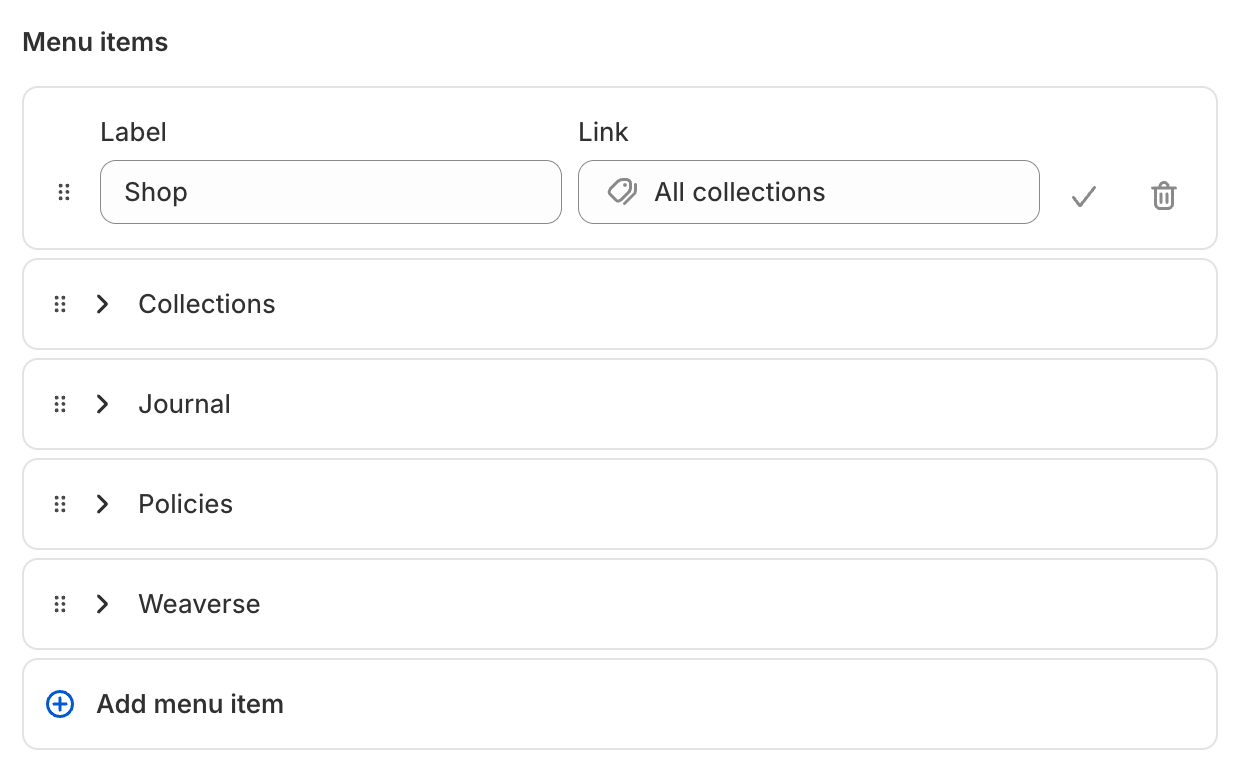
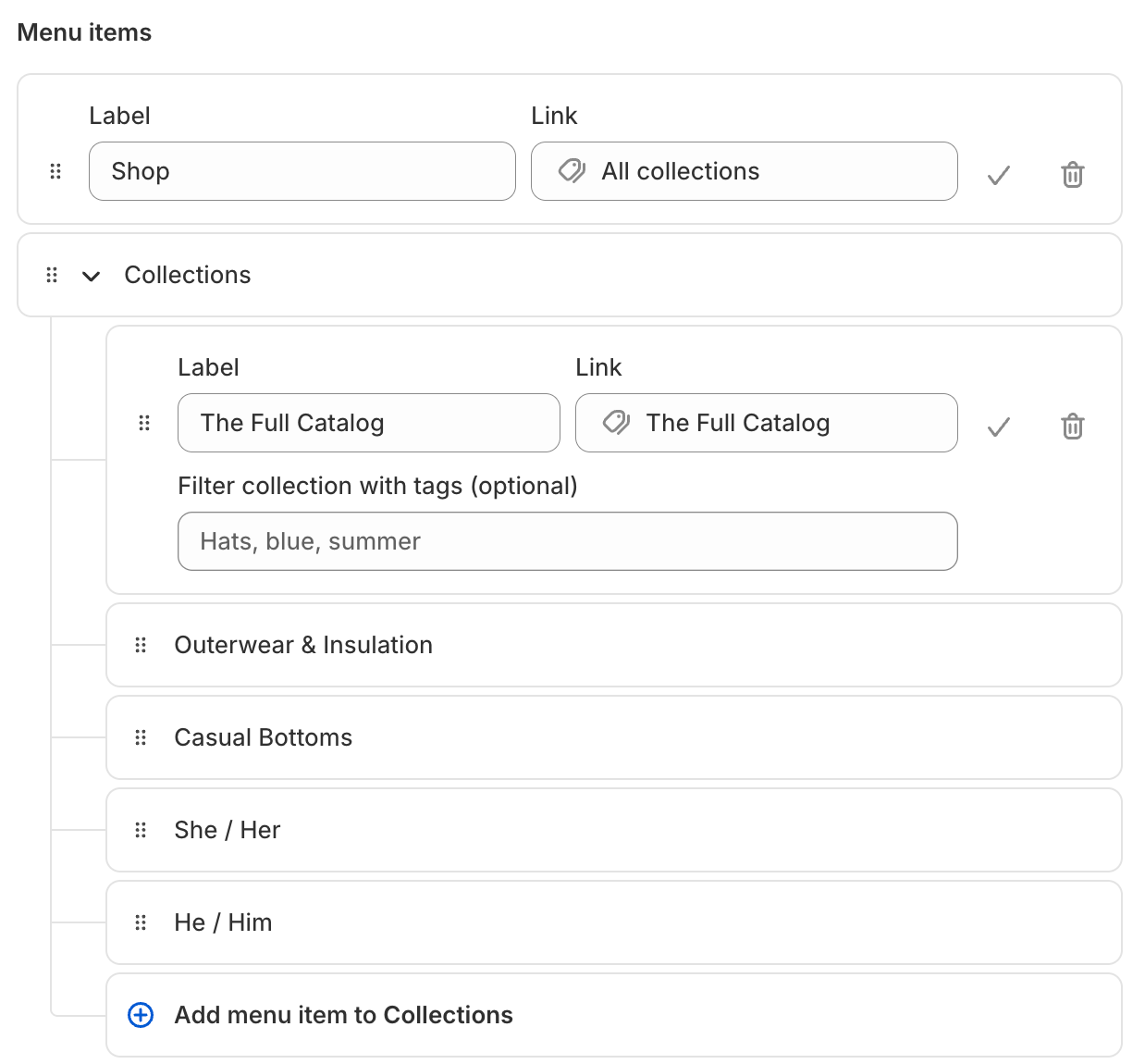
Navigation in Weaverse is powered by Shopify’s native menu system, allowing you to create flexible, multi-level menus for your storefront. With support for mega menus, dropdowns, and resource-linked items, you can build a seamless navigation experience for your customers.
Enter a name for each item (this is the label shown in your storefront).
Set the link (URL, or choose a Shopify resource like a product, collection, or blog).
Click Add to save the item.
Rearrange menu items:
Drag to reorder items as needed.
To nest an item (create a dropdown or mega menu), drag it slightly to the right under a parent item.
Note:
The menu “handle” (such as main-menu or footer) is used in your Hydrogen backend to query the Shopify Storefront API for navigation data. For example:
let data = await storefront.query<LayoutQuery>(LAYOUT_QUERY, { variables: { headerMenuHandle: "main-menu", footerMenuHandle: "footer", language: storefront.i18n.language, },});
Make sure the handle you assign in Shopify (Content > Menus) exactly matches the one used in your code. If you rename the handle in Shopify, update it in your code as well to ensure your navigation loads correctly.
Navigation menus in Weaverse are managed via Shopify’s Content > Menus for flexibility and integration. Use the menu types and best practices above to create a navigation experience that is clear, scalable, and user-friendly.